
Download Ultra Lock – App Lock & Vault, Secure Device, Dynamic PIN, Privacy Protection
Overview
Ultra Lock - App Lock & Vault is a privacy-focused desktop application designed to safeguard sensitive content and prevent unauthorized access to personal data. Developed by Mirage Stacks, the software offers a free-to-use solution for users seeking enhanced security at the app level. Its primary purpose is to secure individual applications and files through customizable lock mechanisms, making it particularly useful for individuals concerned about digital privacy in shared or public environments. The app targets consumers and professionals who manage confidential information on their devices and require an additional layer of protection beyond standard OS-level security.
Real-world usage scenarios include securing messaging apps, photo galleries, banking tools, and personal documents. The software operates independently of the operating system’s native security features, allowing users to define custom access rules for specific applications. While the developer did not provide additional details about the company’s background or broader product portfolio, the app’s functionality centers on dynamic PIN generation and intrusion detection. These features aim to counter common vulnerabilities associated with static passcodes, such as guessing or shoulder-surfing attacks.
Key Features & Capabilities
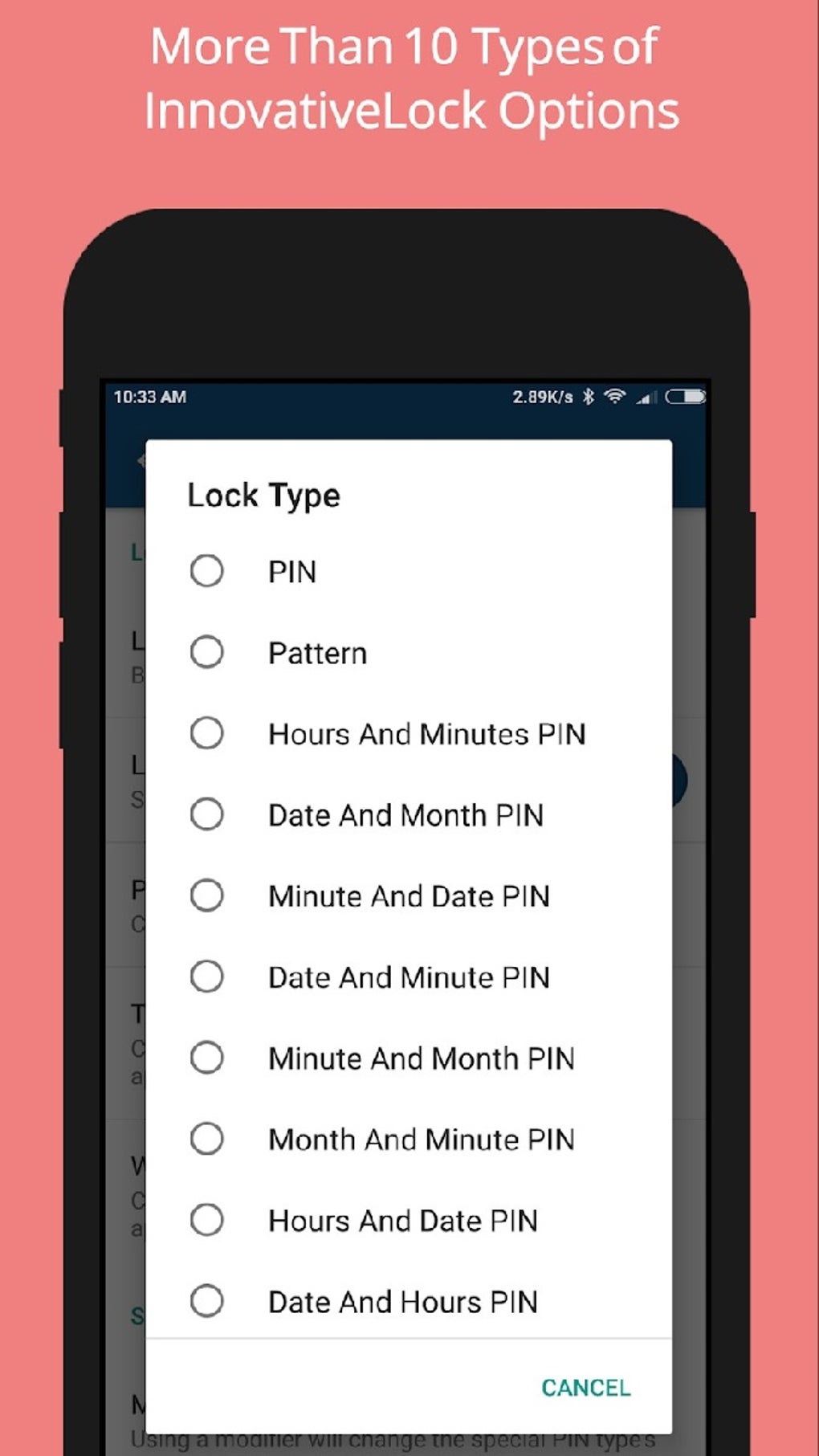
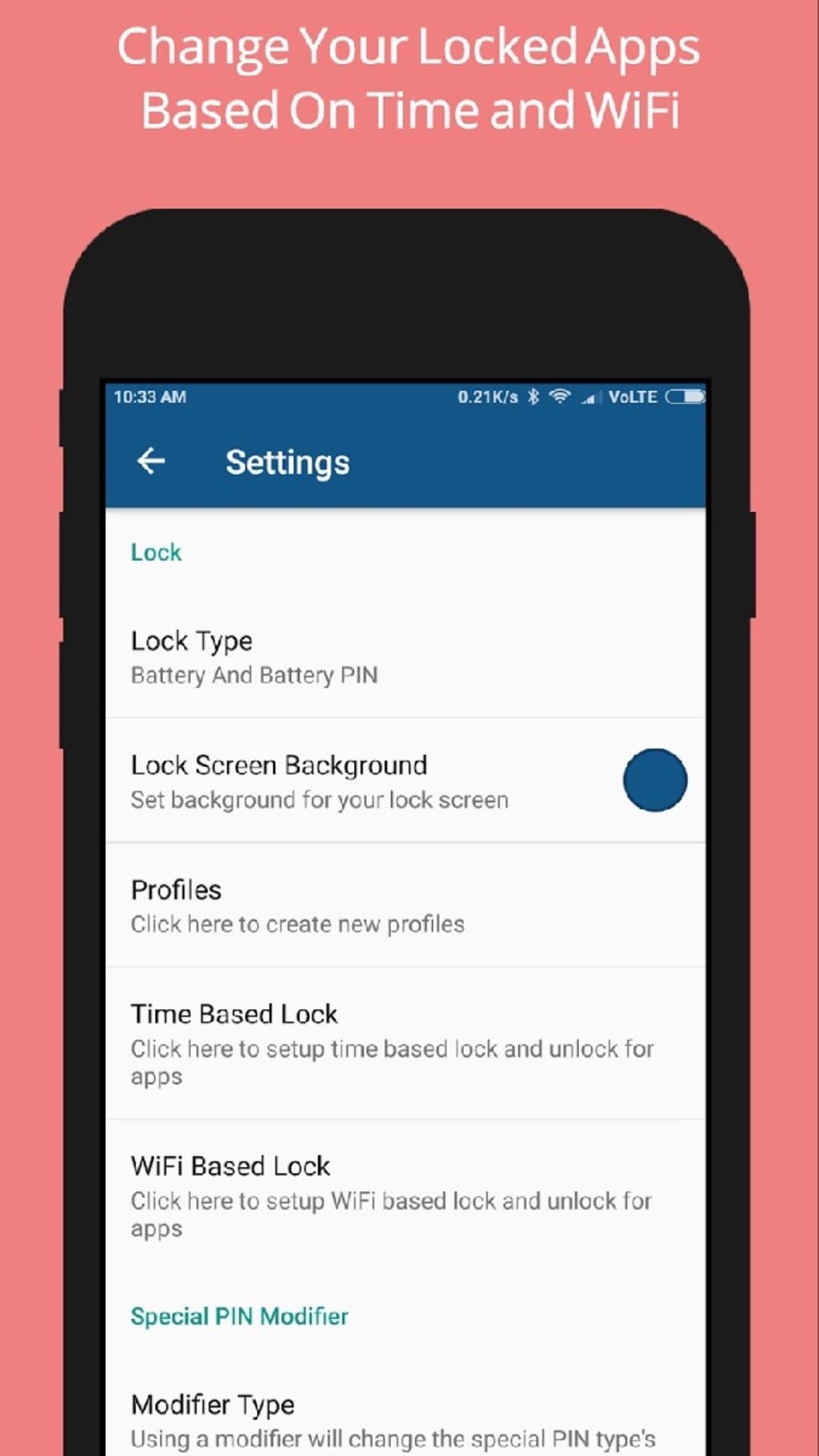
- Dynamic PIN Options: Ultra Lock introduces multiple evolving PIN systems. The Hours and Minutes PIN changes every minute, using the current time as the unlock code. The Date and Month PIN updates daily, based on the current date. The Battery PIN adjusts according to the device’s current battery level, ensuring unpredictability.
- Intruder Detection: When an unauthorized access attempt is detected, the app activates the front camera to capture a photo of the person trying to unlock the protected apps, serving as a deterrent and potential evidence.
- Multi-Digit Code & Pattern Locks: Users can set traditional numeric PINs or draw custom patterns to unlock secured applications, offering flexibility in authentication methods.
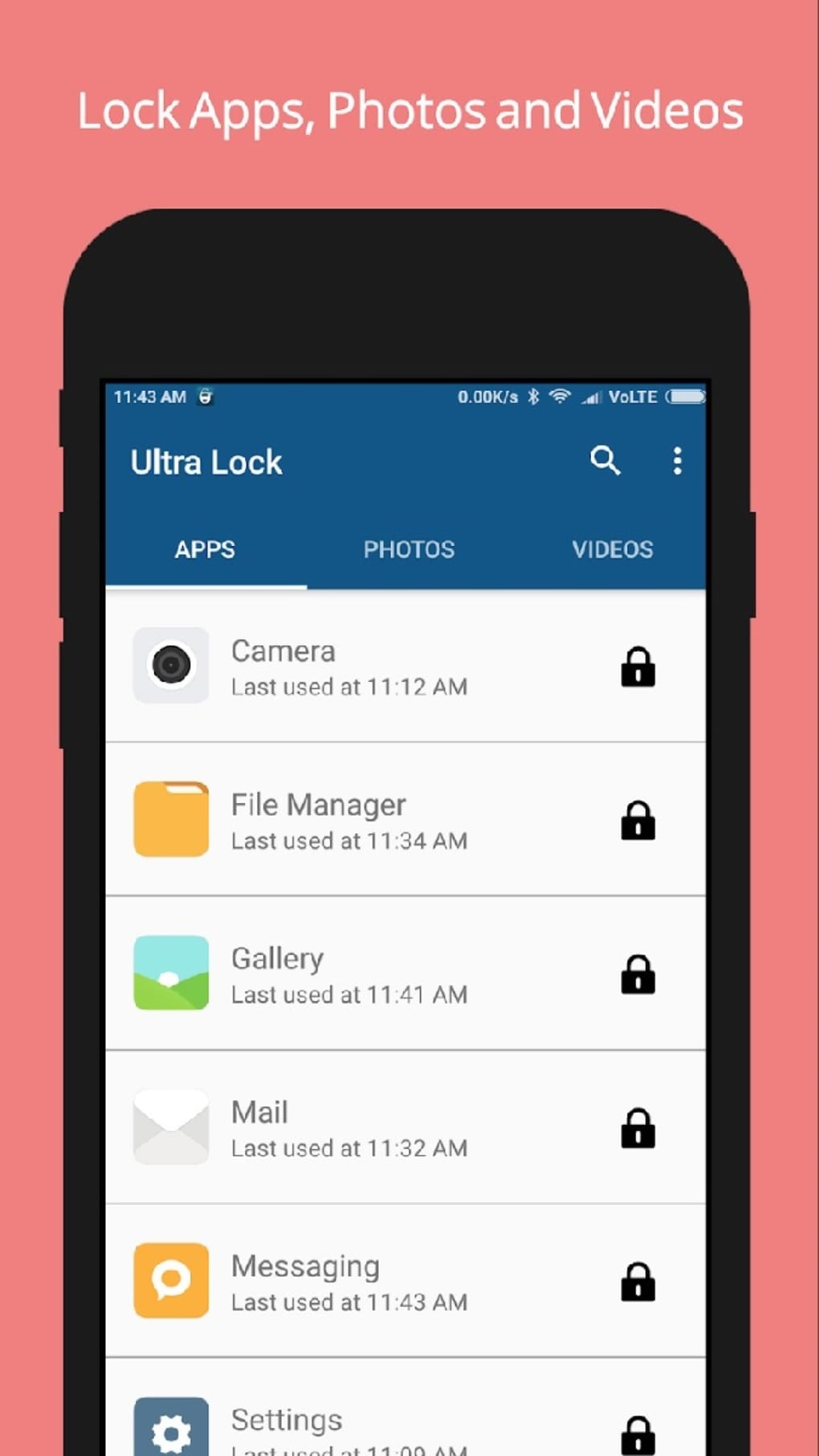
- App-Level Security: The software allows selective locking of individual applications, enabling users to protect only the most sensitive tools without restricting access to all apps.
- Free-to-Use Model: Ultra Lock is available at no cost, making it accessible to a wide audience seeking basic to intermediate privacy protection without financial commitment.
These features collectively address the risk of static PINs being guessed or shared. For example, a user securing their banking app with the Hours and Minutes PIN ensures that even if someone observes the code once, it will be invalid one minute later. Similarly, the Battery PIN feature adds an unpredictable layer—no two unlock attempts will use the same code unless the battery level remains unchanged.
User Interface, Workflow & Performance
The user interface of Ultra Lock appears designed for straightforward navigation, with a clean layout focused on lock configuration, app selection, and security settings. Users can easily assign protected applications, choose their preferred lock method, and enable or disable features like intruder detection. The workflow is linear: select apps → choose lock type → configure settings → activate protection.
Navigation is intuitive, with minimal onboarding steps required. However, exact performance details were not specified by the developer. General software behavior patterns suggest stable operation under normal conditions, though some users have reported recurrent technical glitches.
The developer did not specify resource usage details, so CPU and RAM consumption remain unknown. Stability may vary depending on the device’s configuration and the number of locked applications. Users are advised to monitor performance during extended use.
Compatibility & System Requirements
Ultra Lock - App Lock & Vault is compatible with Windows and Mac operating systems. The software is available in a version that supports both platforms, though specific version numbers were not provided. The installation size is listed as a standard desktop application footprint, though exact file size details were not included. The developer did not specify exact system requirements, including minimum RAM, processor speed, or disk space.
Compatibility information is limited to platform availability. Users should ensure their system meets general requirements for running desktop applications. The absence of detailed hardware specifications means that compatibility with older or low-end devices cannot be confirmed. Platform compatibility information is partially provided.
Pros and Cons
Pros
- Offers unique dynamic PIN systems that change frequently, reducing the risk of code guessing.
- Intruder detection with front camera photo capture adds a visual deterrent and evidence tool.
- Supports multiple lock methods, including numeric codes and custom patterns.
- Free-to-use model increases accessibility for privacy-conscious users.
- App-level locking allows granular control over which tools are protected.
Cons
- Lacks biometric authentication options such as fingerprint or facial recognition.
- Reported technical glitches may affect reliability and user experience.
- Missing detailed system requirements make compatibility assessment difficult.
- Dynamic PINs may be inconvenient for users who prefer consistent, easy-to-remember codes.
- Photo capture function may raise privacy concerns if not properly managed.
FAQ Section
Is Ultra Lock compatible with Windows and Mac?
Yes, the software is designed to run on both Windows and Mac operating systems, though specific version numbers were not provided.
Does Ultra Lock support fingerprint or facial recognition?
No, the app does not include biometric authentication features such as fingerprint scanning or facial recognition.
Can I use Ultra Lock offline?
Yes, the app functions without an internet connection, allowing users to secure their apps and data offline.
How often does the Hours and Minutes PIN change?
The PIN updates every minute, using the current hour and minute as the unlock code.
Is Ultra Lock safe to use?
As a desktop application focused on privacy, Ultra Lock operates locally on the device. However, users should ensure they download it from official sources to avoid potential security risks.
Final Thoughts + CTA
Ultra Lock - App Lock & Vault presents a creative approach to app-level security through its dynamic PIN systems and intrusion detection. While it stands out with features like the time-based and battery-dependent PINs, the absence of biometric support limits its appeal for users seeking seamless, automatic access. Technical issues reported by some users also warrant caution, especially for those relying on consistent performance.
Nonetheless, for individuals who prioritize unpredictability in their passcodes and want a free, lightweight tool for protecting sensitive apps, Ultra Lock offers a solid foundation. It is best suited for users who value innovative security mechanics over convenience. For those needing a more robust, reliable solution, additional verification may be required.
Download Ultra Lock now.






.png)
